How to Pair a Parcel
- Michelle Cabaya (Unlicensed)
Owned by Michelle Cabaya (Unlicensed)
When scanning a parcel at a stop you can pair the parcel with another stop.
This option may not be available due to your company's setup.
Instructions
From the Parcels screen, add a parcel. See Parcels.
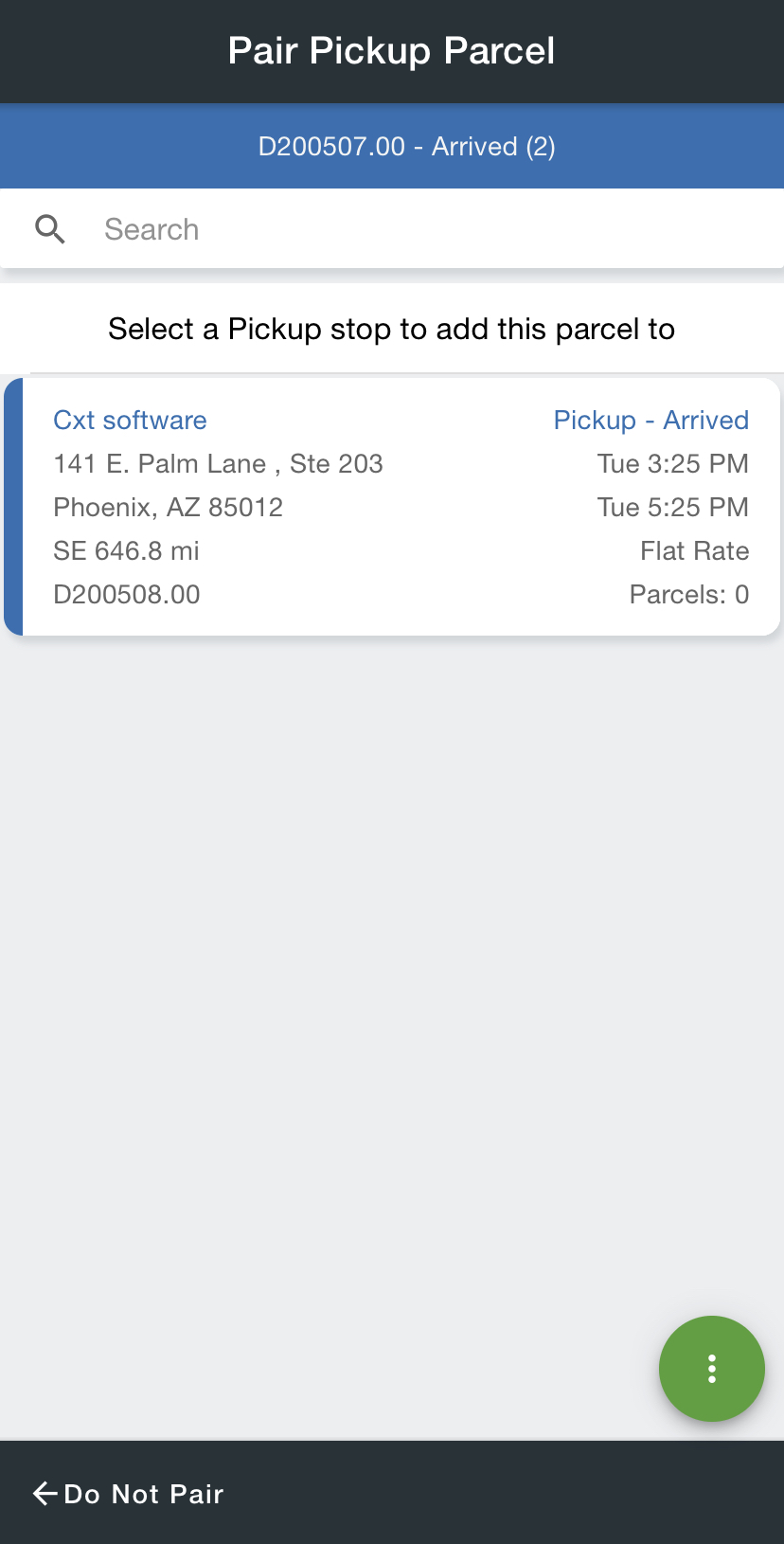
Select which stop you would like to pair the parcel with.
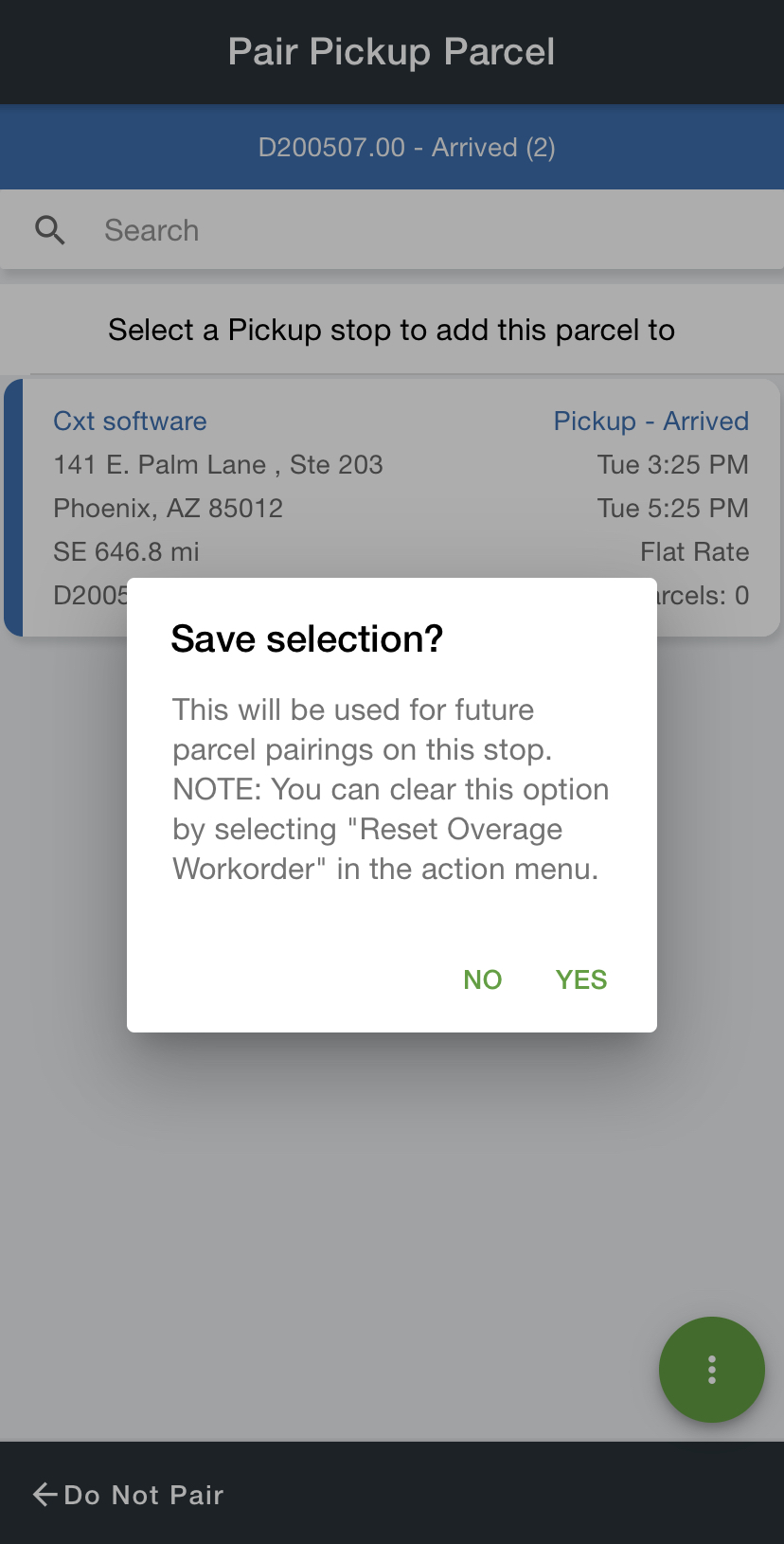
Optional. Save the selected pairing to pair other parceled scanned on the stop.
If there are multiple parcels with more than one delivery location, the driver would need to "Reset Overage Workorder" to be able to select an additional location.
Related articles